git分支相关操作
创建和删除分支
本地分支
创建本地分支:
git branch <branch-name>
创建一个分支并立即切换到该分支
git checkout -b <new-branch-name>
git switch -c <new-branch-name>
从特定的起点创建分支:
git checkout -b <new-branch-name> <starting-point>
git switch -c <new-branch-name> <starting-point>
删除本地分支:
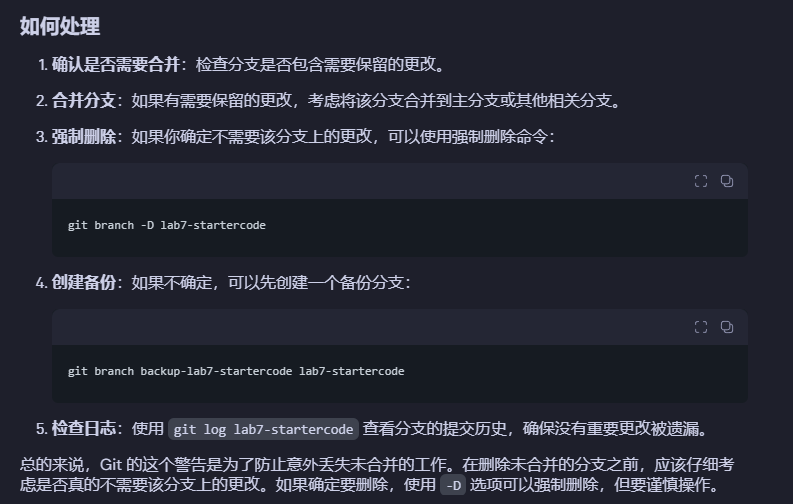
git branch -d <branch-name>  # 安全删除(如果分支未完全合并,则删除失败)
git branch -D <branch-name>  # 强制删除
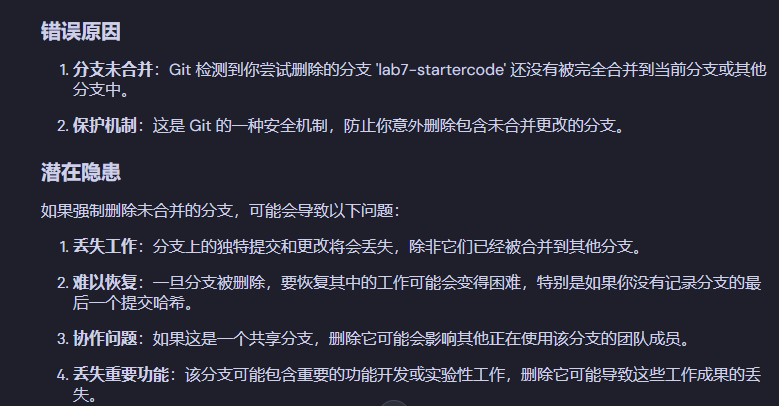
为什么要删除的分支没有合并时,删除会失败呢
批量删除本地分支:
git branch | grep “feature/” | xargs git branch -d
git branch | grep ”feature/“ | xargs git branch -D
远程分支
创建远程分支(通过推送本地分支):
git push <remote-name> <local-branch>:<remote-branch>
删除远程分支:
git push <remote-name> --delete <remote-branch>
查看分支
查看本地所有分支:
git branch
查看远程所有分支:
git branch -r
查看本地和远程所有分支:
git branch -a
切换分支
切换本地分支
git checkout <branch-name>
或使用更新的 Git 命令:
git switch <branch-name>
切换远程分支
切换到远程分支实际上是创建一个跟踪远程分支的本地分支:
git checkout -b <local-branch> <remote-name>/<remote-branch>
或使用更简洁的方式:
git checkout --track <remote-name>/<remote-branch>
使用新版 Git:
git switch -c <local-branch> --track <remote-name>/<remote-branch>